Every Major Venue.
Pre-Loaded.
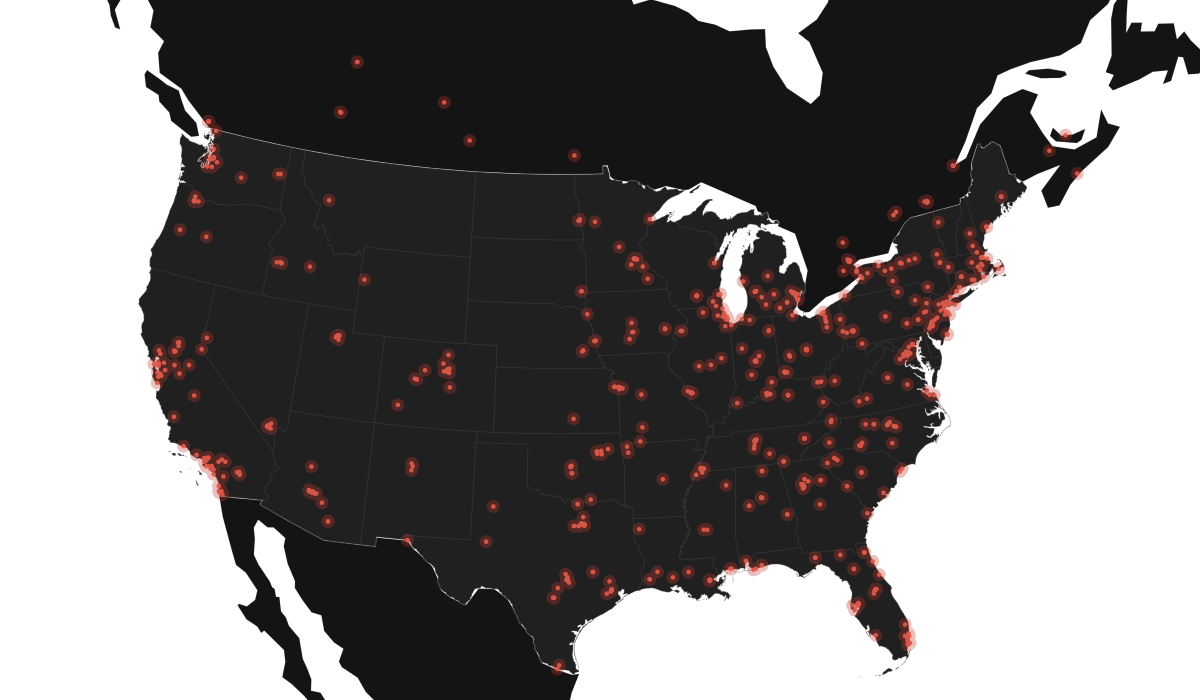
942 arenas, amphitheaters, stadiums, theaters, clubs, casinos and festival grounds across the US and Canada, packaged for your GPS, your phone, and your spreadsheet.
Built for tour and production coach drivers who are tired of fighting their nav system at 3 a.m. You drop one file in and every destination on the route is already there waiting. It covers 49 states, DC, Puerto Rico and ten Canadian provinces.
Leave your email and the files are yours.
It's free and there is no spam. We'll send the occasional update when we add venues or release a new tool, and you can unsubscribe in one click.
What's in the bundle
All four formats hold the same 942 venues, so whatever your rig is running, you're covered.
GPX
Drop into Garmin, OsmAnd, Locus, or anything that takes waypoints. The universal GPS format.
KML
For Google Maps, Google Earth, and Google My Maps on Android. Import once, every venue pinned.
CSV
Plain spreadsheet rows. Open in Excel, Google Sheets, or anything else. Easy to filter.
XLSX
Full database with columns, capacities, and venue types. Sort it, filter it, and mark it up however you want.
Loading on Android
- 1. Google Maps / Google Earth. Use the KML file. In Google My Maps, create a new map → Import → drop in
.kml. In Google Earth Android, open the file directly from Files and it imports. - 2. OsmAnd or Locus.Use the GPX file. Open it through the app's tracks/favorites import. Every venue shows up as a tappable pin.
- 3. Garmin head units. Load the GPX onto the device via USB, drop it in the Garmin/GPX folder, then power-cycle the unit.